From room-sized magnetic tape reels to pocket USB drives, blazing SSDs, and planet-scale cloud buckets —
follow how data storage grew cheaper, faster, smaller, and everywhere.
Every app, photo, and file you use today sits on layers of storage innovation. This page maps the proper
storage devices timeline from the 1950s through cloud services and into experimental future media.
📼 1950s → Future💾 Tape → Cloud⚡ SSD + AI data
Big picture
Storage evolution in one view
Computers needed ways to remember programs and data beyond volatile memory. Magnetic media dominated
for decades, optical discs carried software and entertainment, flash memory made portability instant,
and cloud platforms turned storage into a service you rent by the gigabyte.
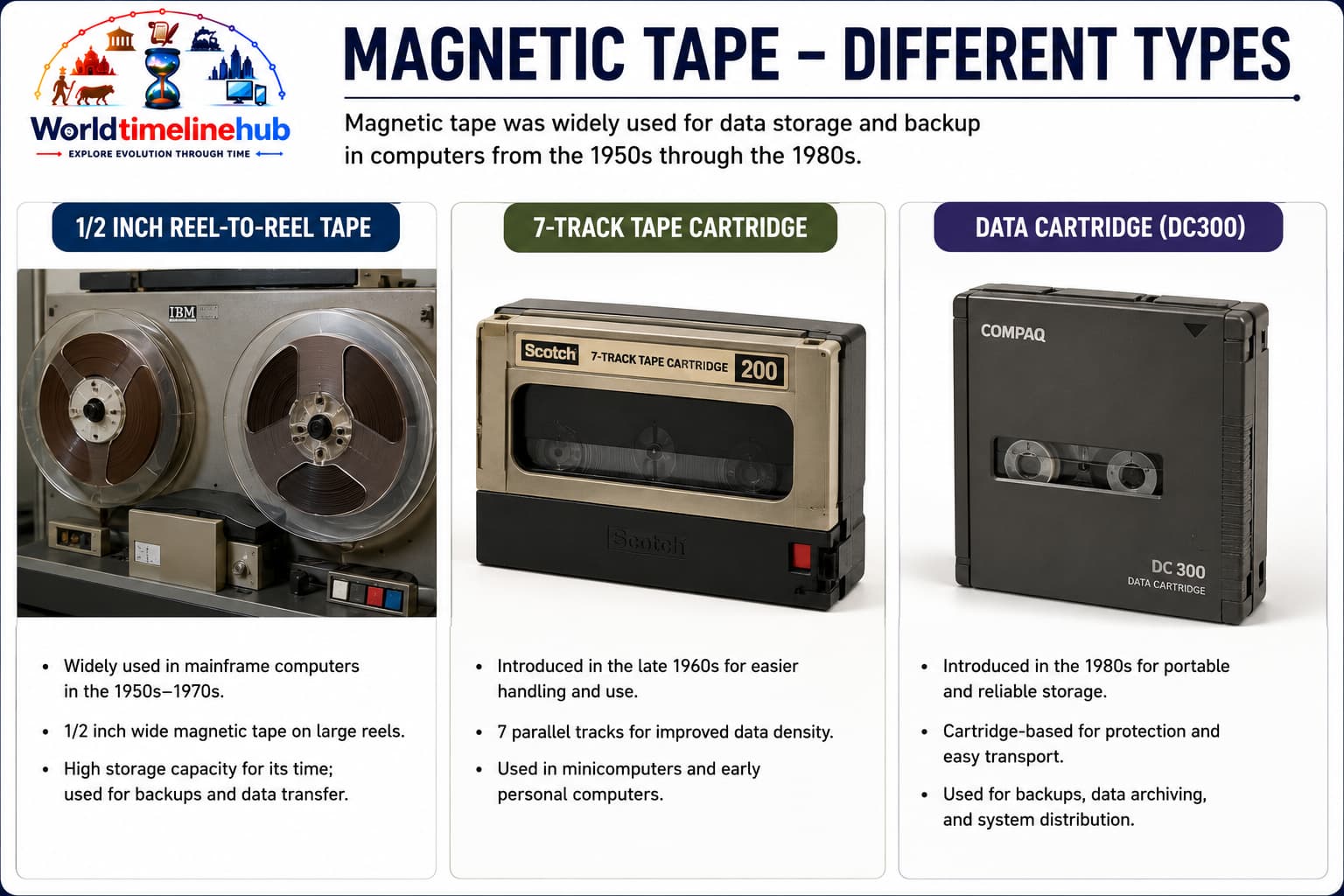
Sequential access: Read/write heads move along the tape length.
Reel and cartridge formats: From open reels to modern LTO cartridges.
How Data Is Stored
Magnetic domains: Tiny regions of iron oxide are magnetized in one direction for a 0 and the opposite for a 1.
Write head: An electric coil in the head flips domain polarity as the tape moves past at constant speed.
Read head: Passing domains induce a small voltage in the coil — flux changes become the bit stream.
Linear layout: Files are written as blocks one after another; reaching a file means winding the tape forward or backward (sequential access).
Features
High capacity per cost: Excellent for archival workloads.
Slower random access: Not ideal for interactive computing.
Durable offline copies: Air-gapped backups for disaster recovery.
💾 Portable Exchange1960s
Floppy Disk
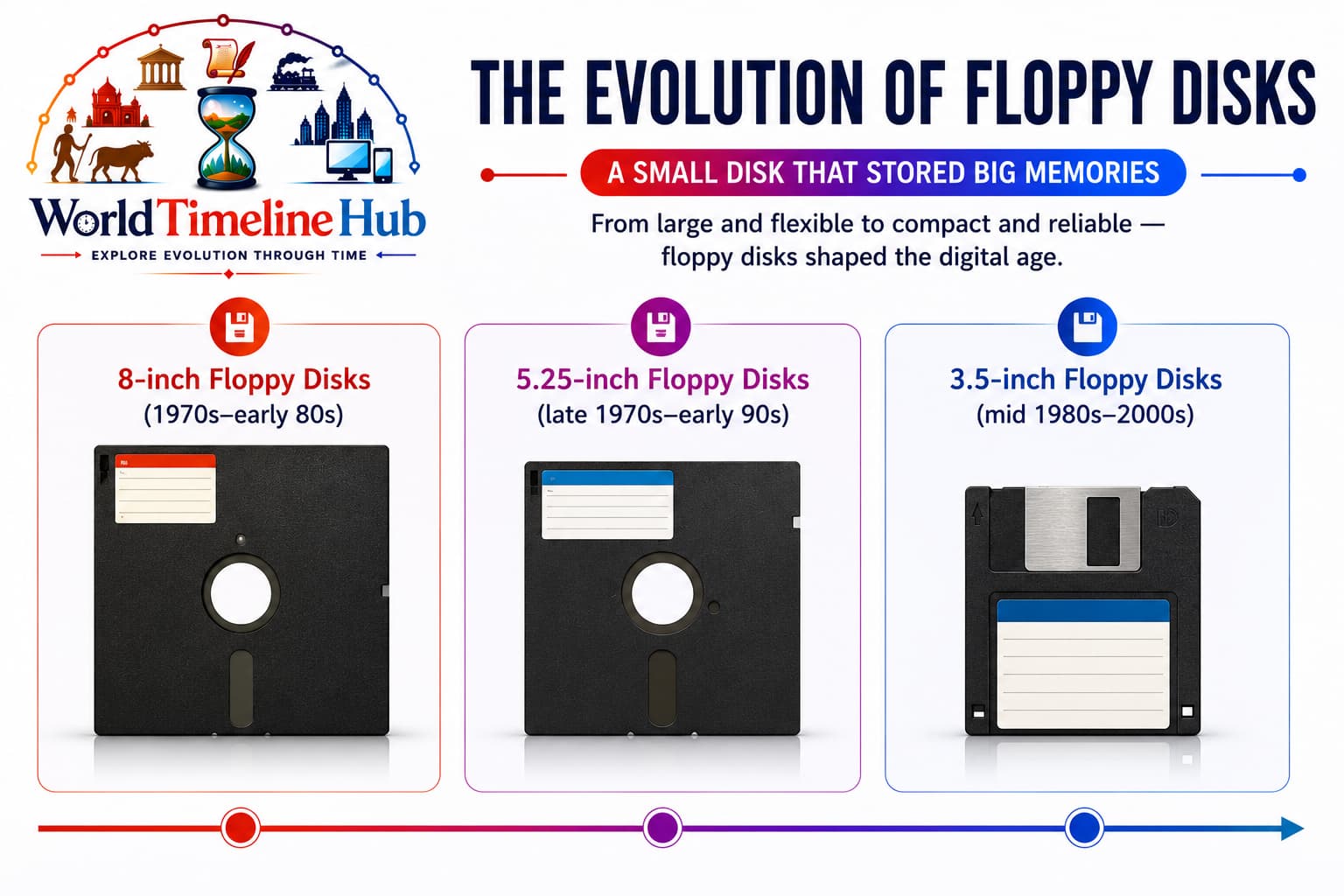
Floppy disks: removable media that loaded software and moved files between PCs before USB drives.
1967: IBM introduces the floppy disk concept.
1970s–80s: 5.25-inch and 3.5-inch formats spread with PCs.
Floppies were the default way to load software and move files between machines.
Technology Used
Flexible magnetic disk: Spins inside a protective sleeve or rigid shell.
Low-cost drives: Affordable for home and school computers.
FAT file systems: Simple formats for DOS-era PCs.
How Data Is Stored
Spinning surface: The disk rotates under a read/write head fixed on a radial arm.
Tracks and sectors: Concentric circles (tracks) are split into sectors; each sector holds hundreds of bytes as magnetized patches.
Bit encoding: Flux reversals on the coating represent 0s and 1s; the drive electronics decode MFM or FM patterns.
Logical map: The FAT table tells the OS which sectors belong to each filename — you see “A:\FILE.TXT,” the drive sees sector numbers.
Features
Removable media: Easy hand-carry of programs and documents.
Limited capacity: Kilobytes to ~1.44 MB on 3.5-inch disks.
Physical wear: Sensitive to dust, bends, and magnetic fields.
🖴 Spinning Rust1980s
Hard Disk Drive (HDD)
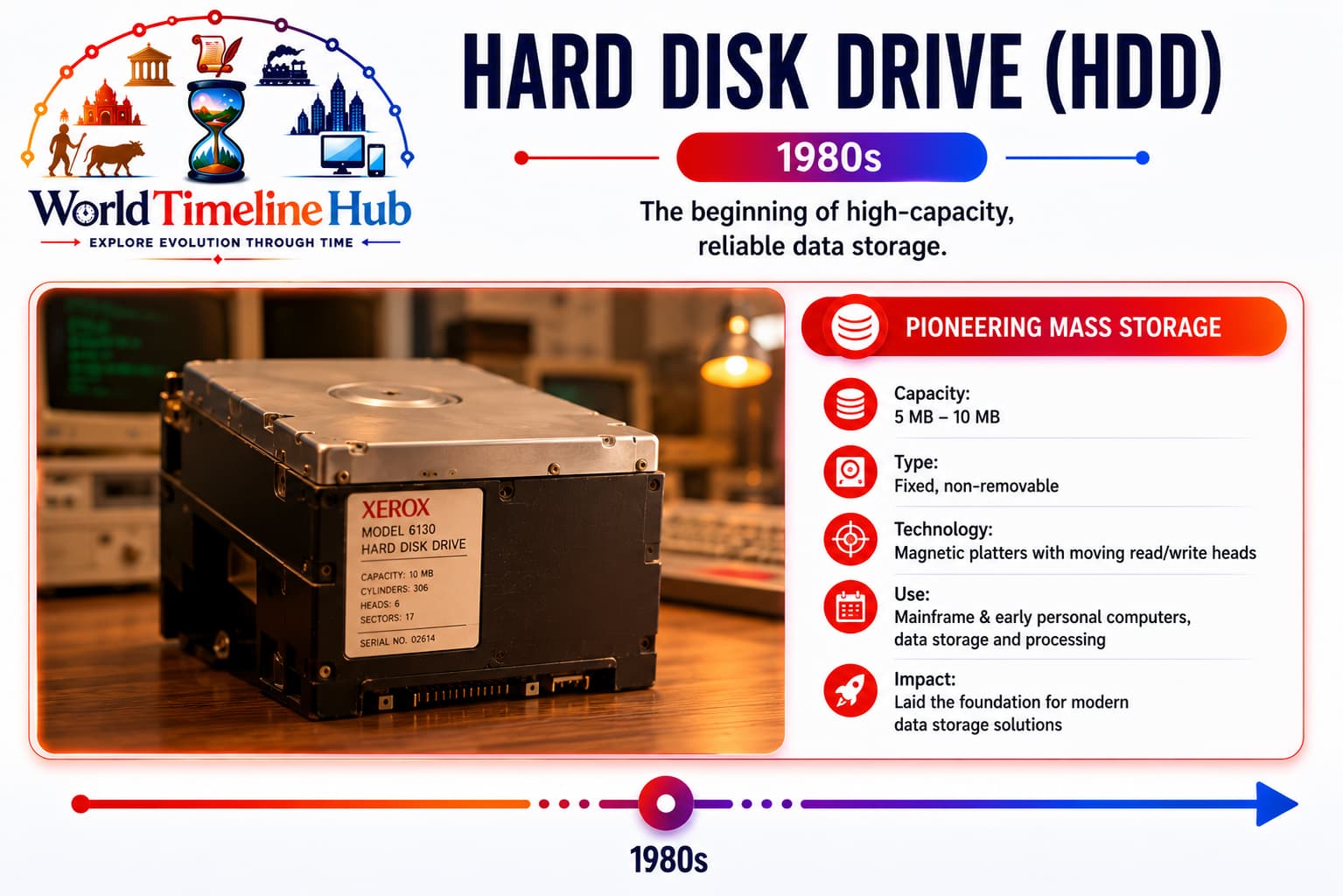
Hard disk drives: sealed units with rotating platters that became the standard for PC and server storage.
Fixed magnetic platters inside sealed drives become PC and server standard.
Capacity grows from megabytes to terabytes over decades.
HDDs remain common for bulk storage where cost per GB matters most.
Technology Used
Rotating platters: Spindle motors spin disks at high RPM.
Read/write heads: Float nanometers above the surface.
IDE/SATA interfaces: Standard PC and server connections evolve.
How Data Is Stored
Platter coating: A thin magnetic film on aluminum or glass holds billions of independent domains per platter.
Cylinders and LBAs: The OS addresses data by logical block number; firmware maps each LBA to a track, sector, and head position.
Seek and wait: The actuator moves the head to the right track, then the drive waits for the target sector to spin under the head.
Cache buffer: Frequently used sectors are copied into RAM on the drive so repeated reads avoid another physical seek.
Features
Non-volatile storage: Data persists when power is off.
Random access: Faster than tape for everyday OS and apps.
Mechanical latency: Seek time and spin-up delay vs SSDs.
💿 Optical Era Begins1980s
Compact Disc (CD)
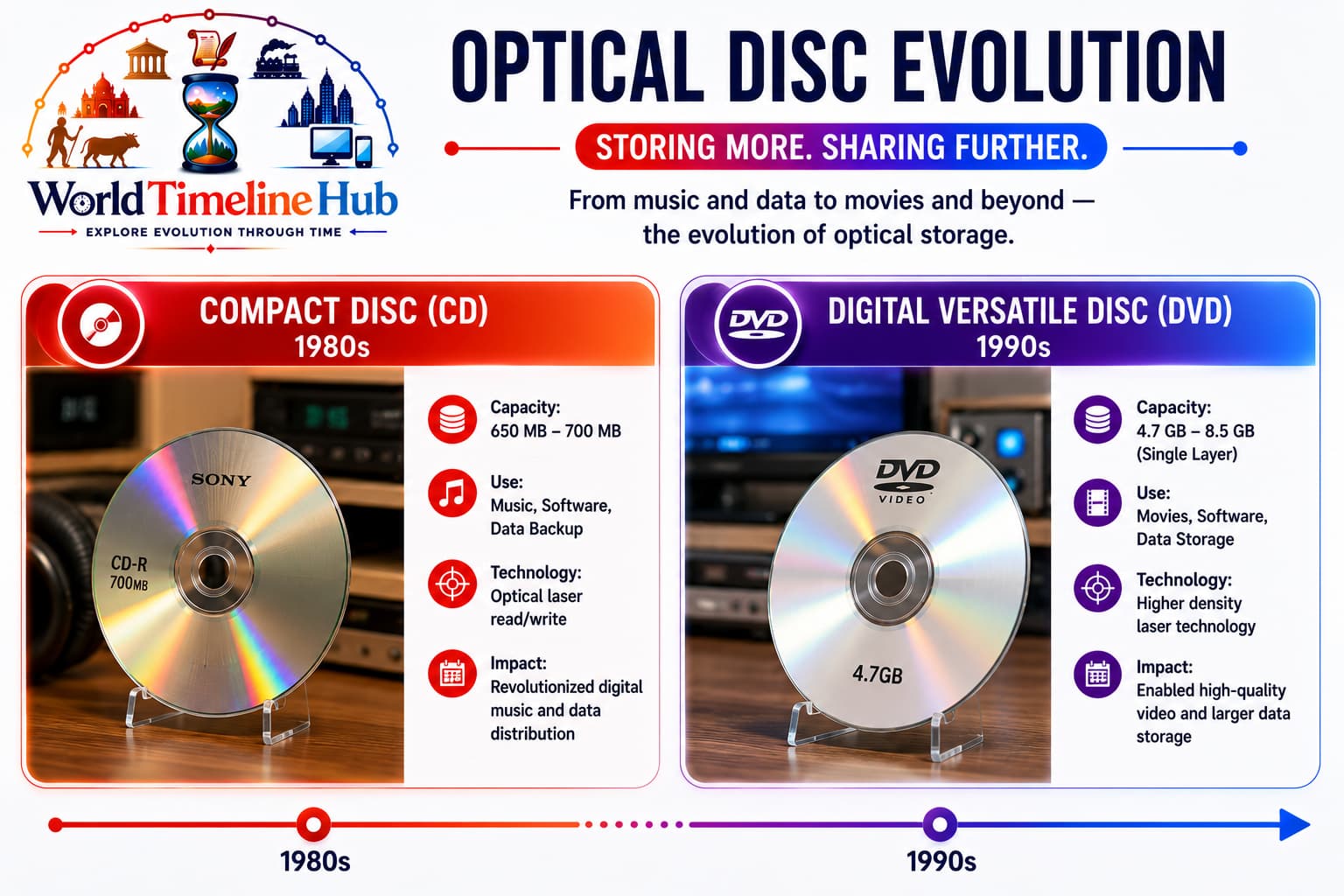
Compact discs: laser-read optical media that brought digital audio and CD-ROM software to homes and offices.
1982: CD audio launches commercially (Philips/Sony).
CD-ROM drives bring software distribution and encyclopedias to PCs.
Digital audio quality without tape hiss or vinyl wear.
Technology Used
Laser pits and lands: Reflective surface encodes data.
Red laser (~780 nm): Reads 12 cm polycarbonate discs.
Error correction (CIRC): Recovers from scratches and dust.
How Data Is Stored
Physical pits: A master stamp presses tiny bumps (pits) into the plastic; flat areas between them are lands.
Optical readout: A laser beam scans the spiral groove; pits scatter light differently than lands, producing a digital 0/1 pattern.
Spiral track: One continuous track runs from center to edge — about 5 km long — read as a constant bit stream at fixed rotation speed (CLV).
CD-R writing: A write laser heats organic dye so it becomes opaque or reflective, creating user-burned pits without a factory press.
Features
~650–700 MB capacity: Huge vs floppies for software bundles.
Read-mostly retail model: Mass duplication for games and music.
CD-R/CD-RW later: User-writable optical backups and mixes.
📀 Higher Density1990s
Digital Versatile Disc (DVD)
1995: DVD format announced; players reach homes in late 1990s.
Stores full-length movies and larger software installers.
DVD±R/RW enables home video authoring and backups.
Technology Used
Tighter pit spacing: More data per disc vs CD.
Red laser (650 nm): Shorter wavelength improves density.
Dual-layer discs: Extra capacity for long films.
How Data Is Stored
Denser pits: Pits are shorter and closer together than on CD, packing roughly seven times more data per disc area.
Modulated signal: Run-length limited (RLL) encoding converts pit/land lengths into reliable bit patterns the drive decoder understands.
Dual-layer read: The laser focuses through a semi-reflective first layer to read a second layer underneath, doubling capacity on one disc side.
DVD±R/RW: Writable discs use dye (R) or phase-change alloy (RW) altered by laser heat to form the same pit-like optical contrast as pressed discs.
Features
4.7 GB+ per layer: Standard for 2000s PC software and video.
Region codes: Geographic licensing on commercial movies.
Bridge to streaming: Last dominant physical video format before downloads.
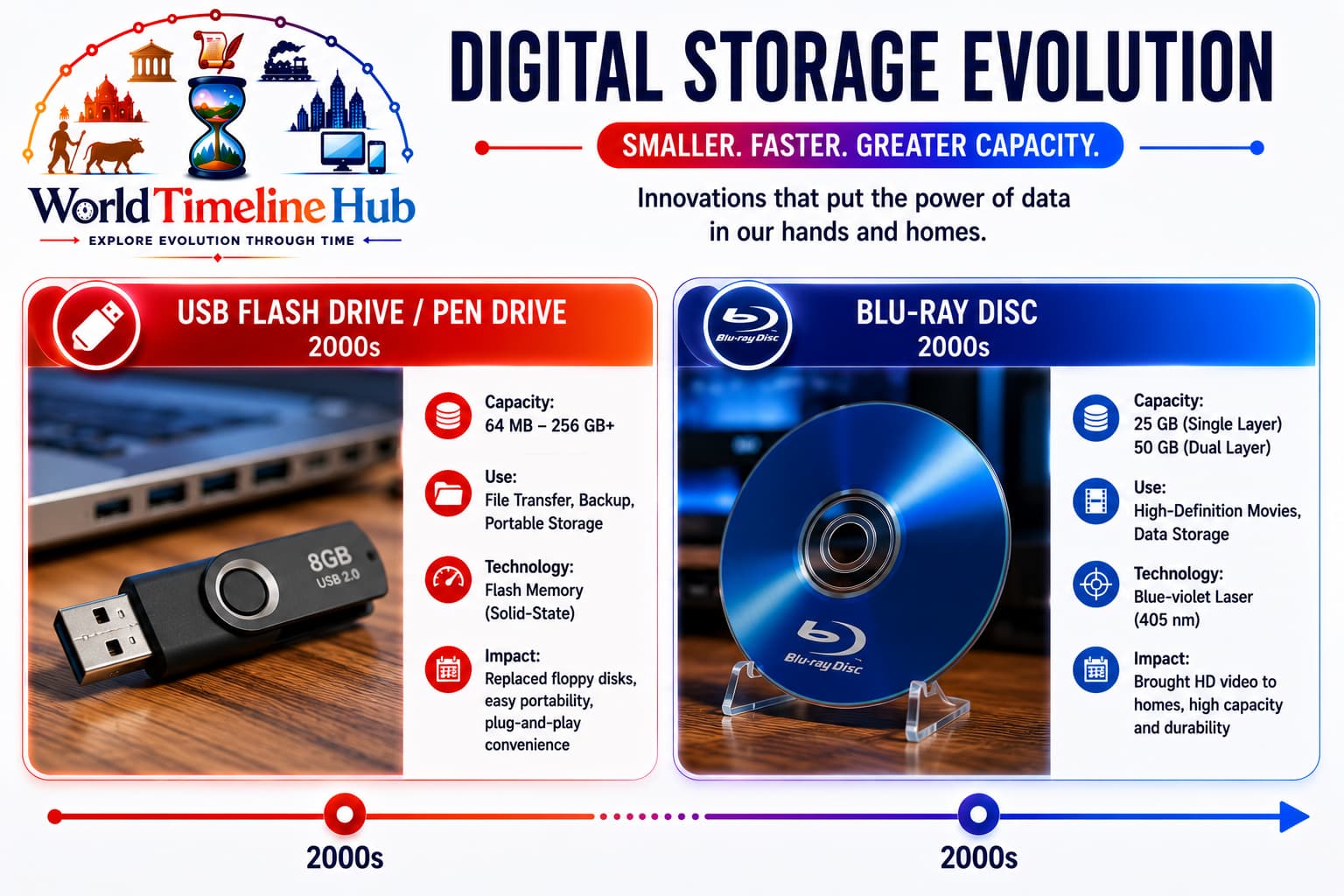
🔌 Pocket Storage2000s
USB Flash Drive / Pen Drive
USB pen drives: pocket NAND flash storage that replaced floppies for everyday file swaps and installers.
2000: Trek Technology and IBM announce early USB flash products.
Replaces floppies for presentations, installers, and file swaps.
Capacities climb from megabytes to hundreds of gigabytes.
Technology Used
NAND flash memory: EEPROM-style cells store bits without power.
USB mass storage class: Plug-and-play on Windows, Mac, Linux.
Flash controller: Wear leveling and bad-block management.
How Data Is Stored
Floating-gate cells: Each memory cell traps electrons in an insulated gate — more charge usually means one bit value, less charge the other (SLC/MLC/TLC vary how many bits per cell).
Pages and blocks: Data is written in pages (often 4 KB) but erased only in larger blocks; the controller shuffles data to spread wear evenly.
No magnetics: Storage is purely electrical charge in silicon — nothing spins and nothing is optically scanned.
USB presentation: The controller exposes a simple sector map over USB so the host OS treats the stick like a tiny hard disk.
Features
No moving parts: Shock-resistant vs HDDs.
Keychain portable: Universal student and office tool.
Security risks: Malware spread via unknown drives.
🔵 HD Optical2000s
Blu-ray Disc
2006: First Blu-ray players ship; format wins HD optical war vs HD DVD.
Stores 1080p movies and large game assets for PlayStation 3 era.
25 GB per layer: Dual-layer discs common for movies.
Hard coating: More scratch resistance than DVD.
How Data Is Stored
Shorter wavelength: A 405 nm blue-violet laser focuses to a smaller spot, allowing pits roughly one-quarter the size of DVD pits on the same disc area.
Same optical principle: Data is still pits and lands on a spiral track — the drive reads reflected light intensity changes, not magnetism or charge.
Hard coating: A protective layer sits closer to the data surface than on DVD, so the laser can focus through it without scratches ruining reads as quickly.
BD-R/RE writing: Recordable discs use inorganic dye (R) or phase-change material (RE) that the write laser alters to mimic factory-pressed optical contrast.
Features
HD video distribution: Peak physical media before streaming dominance.
Game install media: Large console titles on disc.
Niche today: Collectors and archival use; streaming is default.
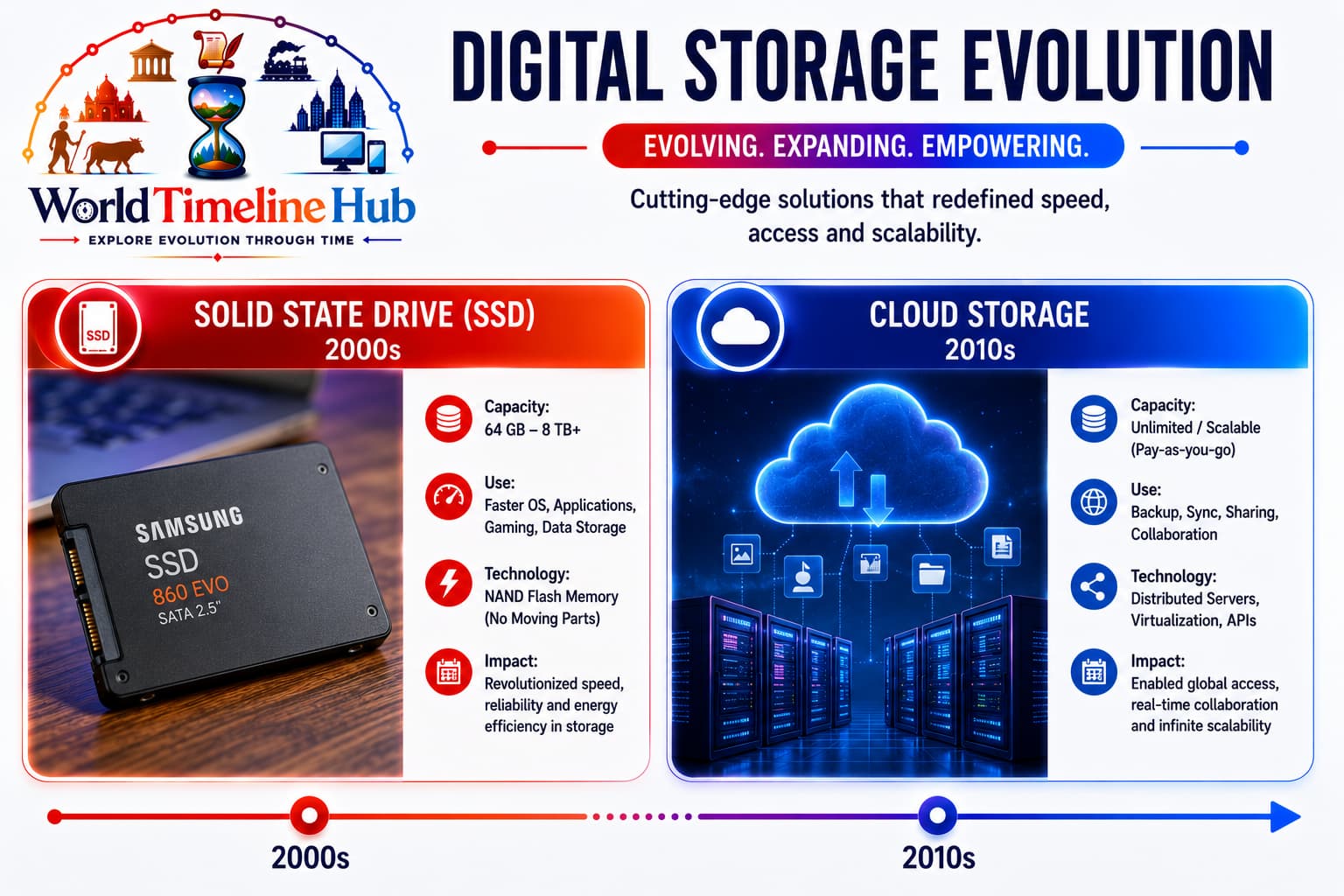
⚡ Flash Inside PC2000s
Solid State Drive (SSD)
Solid state drives: flash-based storage inside PCs and laptops for silent, fast boot and application load times.
Consumer SSDs gain traction in late 2000s as prices fall.
NVMe (2010s+): PCIe interfaces unlock much higher speeds than SATA.
Default storage in laptops, phones, and data-center hot tiers.
DRAM cache + controller firmware: FTL mapping and TRIM support.
SATA / NVMe buses: Evolution from ~500 MB/s to multi-GB/s reads.
How Data Is Stored
NAND dies in parallel: Multiple flash chips are read and written at once, unlike a single USB stick chip, giving SSDs much higher bandwidth.
Flash translation layer (FTL): Firmware hides erase-block limits by remapping logical sectors to different physical pages over time.
TRIM command: When you delete a file, the OS tells the SSD which pages are invalid so the controller can erase blocks during idle time.
DRAM cache: A small RAM buffer holds mapping tables and incoming writes so the OS sees fast, random access without waiting for slow flash erase cycles.
Features
Instant boot feel: OS and apps launch dramatically faster.
Services like Dropbox (2008), iCloud, Google Drive, and OneDrive sync files everywhere.
Object storage (S3-style) powers apps, photos, and big data lakes.
Hybrid models blend local SSD cache with remote buckets.
Technology Used
Distributed object stores: Replication across data centers.
HTTPS APIs: Apps upload/download over the internet.
Erasure coding: Efficient durability at exabyte scale.
How Data Is Stored
Still physical disks: Your photo in “the cloud” sits on HDDs and SSDs in a data center — the cloud is location and service, not a new storage physics.
Objects, not folders: Files are split into chunks with unique keys and metadata (name, hash, size); servers find data by key, not by a path on one machine.
Replication: Each chunk is copied to several drives and often several geographic regions so one rack failure does not lose the file.
Sync layer: Apps on your phone or PC keep a local cache; changes upload as encrypted blobs over HTTPS when you are online.
Features
Pay for what you use: Elastic capacity without buying disks.
Multi-device sync: Phones, PCs, and tablets share one library.
Depends on connectivity: Offline access needs caching strategies.
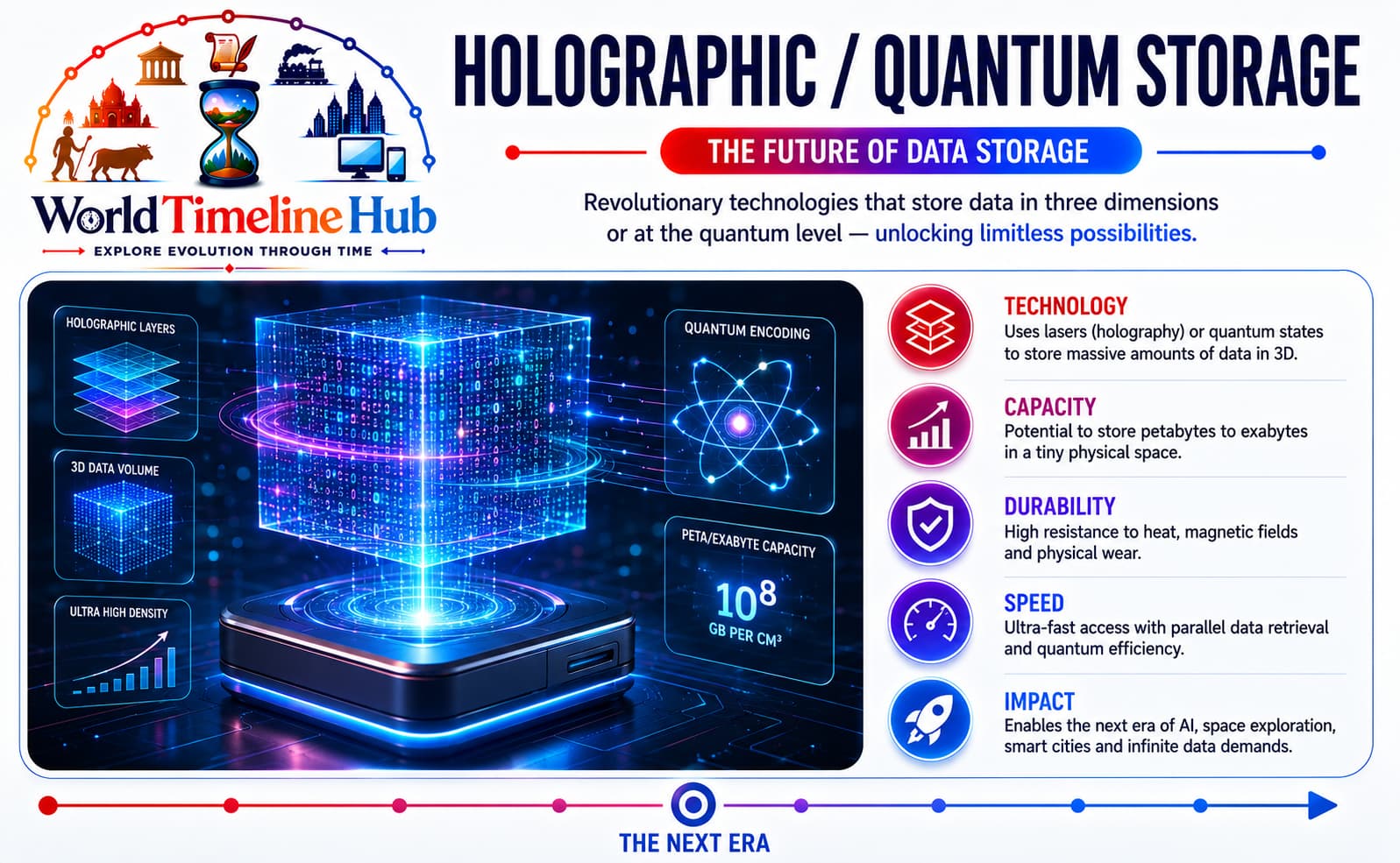
🔮 Beyond SiliconFuture
Holographic / Quantum Storage
Future storage research: holographic volumes and quantum memory aim at densities beyond today’s tape and disks.
Holographic storage: Records data in volume of media, not just surface pits.
DNA storage research: Ultra-dense archival encoding in synthetic molecules.
Quantum memory experiments: Early work for specialized computing stacks.
Technology Used
3D volumetric encoding: Multiple angles/layers per medium.
Biochemical or quantum states: Non-traditional bit representations.
Extreme density goals: Targeting archival beyond tape economics.
How Data Is Stored
Holographic volume: Two laser beams interfere inside the disc material, fixing a 3D interference pattern; each point in the volume can hold many bits read by angle and wavelength.
DNA encoding: Binary files are converted to A/T/G/C base sequences and synthesized into DNA strands — immense density per gram, but slow read/write in labs today.
Quantum memory (research): Qubits linked to photons or ions could hold states beyond 0/1, aimed at specialized computing stacks, not everyday file copies yet.
Cold-archive role: These formats target write-once, keep-forever data (genomes, climate records, AI training logs) where density matters more than instant access.
Features
Archival focus first: Write-once, read-rarely cold data scenarios.
Not yet mainstream: Cost and speed still limit daily PC use.
AI data explosion: Drives demand for radically cheaper long-term storage.
Proper Storage Devices Timeline
Official era-to-device mapping for quick reference.
Era
Storage Device
Short Description
1950s
Magnetic Tape
Sequential magnetic media on reels; first practical bulk backup for mainframes.
1960s
Floppy Disk
Small removable magnetic disk for loading programs and swapping files between PCs.
1980s
Hard Disk Drive (HDD)
Fixed spinning platters inside the computer; fast random access and growing capacity.
1980s
Compact Disc (CD)
Optical disc read by laser; ~700 MB for software, music, and encyclopedias.
1990s
Digital Versatile Disc (DVD)
Higher-density optical disc; stores full movies and multi-gigabyte installers.
2000s
USB Flash Drive / Pen Drive
Pocket NAND flash on USB; replaces floppies for portable file transfer.
2000s
Blu-ray Disc
Blue-laser optical disc; HD video and large games before streaming took over.
2000s
Solid State Drive (SSD)
Flash memory with no moving parts; much faster boot and app load than HDDs.
2010s
Cloud Storage
Files stored on remote servers; sync and backup across phones, PCs, and apps.
Future
Holographic / Quantum Storage
Experimental ultra-dense media; aimed at long-term archival beyond today’s tape and disks.
Magnetic vs Optical vs Flash
Type
Examples
Strength
Magnetic
Tape, floppy, HDD
Low cost per GB for bulk data
Optical
CD, DVD, Blu-ray
Durable read-only distribution
Flash / solid-state
USB, SSD, phone storage
Speed, silence, portability
Network / cloud
Drive, S3, iCloud
Access anywhere, elastic scale
Capacity and Speed Trends
1950s tape: Kilobytes per reel — room-sized systems.
1980s HDD/CD: Megabytes to hundreds of megabytes on one unit.
2000s USB/SSD: Gigabytes affordable for consumers.
2010s+ cloud: Terabytes to petabytes managed as services.
India spotlight
Storage in India’s digital shift
India moved from floppy-based PC labs to affordable pen drives, smartphone storage, and mobile-first
cloud backups — all accelerated by cheap data and UPI-era digital habits.
1990s
Floppy and CD labs
Schools and cybercafés rely on removable media for software.
2000s
Pen drive culture
USB drives replace floppies for assignments and media sharing.
2010s
Smartphone storage
On-device flash plus microSD slots for photos and videos.
2020s
Cloud-first habits
Google Photos, Drive, and operator/cloud bundles for backup.
Test Your Knowledge
20 quick questions from the computer storage timeline.
Answer: Magnetic tape.
Answer: Floppy disk.
Answer: Hard Disk Drive.
Answer: Compact Disc (CD).
Answer: Tighter pit spacing and improved optical density.
Answer: Pen drive.
Answer: Blue-violet (about 405 nm).
Answer: NAND flash memory.
Answer: NVMe over PCIe.
Answer: Cloud storage.
Answer: Magnetic tape (often LTO).
Answer: Magnetic platters.
Answer: A laser.
Answer: Blu-ray.
Answer: Holographic storage.
Answer: Much faster access with no moving parts.
Answer: Random access (faster than sequential tape).
Answer: Google Drive, Dropbox, iCloud, or OneDrive.
Answer: Data remains when power is turned off.
Answer: Higher capacity, lower cost per GB, faster access, and more mobility.
Classroom activity
Students Tasks
Use these 10 prompts for discussion, homework, or presentations.
Jump to any other technology timeline on WorldTimelineHub.
Disclaimer: This content is AI-generated for educational purposes and may contain errors or outdated details. For correct and authoritative information, please refer to official and reliable sources such as government publications, manufacturers, museums, and academic references.